Robi Yonder Music

Robi Yonder Music


Robi Yonder Music হলো বিজ্ঞাপন-মুক্ত মিউজিক সার্ভিস যা লক্ষ লক্ষ গান শোনার সুযোগ দেয়, এই সুযোগ সকল স্মার্টফোন ইউসারদের জন্য রবি’র নেটওয়ার্কে থাকাকালীন কোনো প্রকার ডাটা চার্জ ছাড়াই ব্যবহারকারীরা গান ডাউনলোড করতে, প্লেলিস্ট তৈরি করতে, এবং তাদের প্রিয় গানগুলো শেয়ার করতে পারবেন৷ অনন্য কন্টেন্ট ও বিল্ট-ইন সোশ্যাল ডিস্কভারির মাধ্যমে, Yonder গান শোনার এক সমৃদ্ধ অভিজ্ঞতা প্রদান করে৷

মূল বৈশিষ্ট্যসমূহ:

• গান স্ট্রিম করা - একটি হোম স্ক্রিনের অভিজ্ঞতা যা অনুরূপ Yonder ব্যবহারকারীদের কাছ থেকে গান পরিবেশন করে৷ সামাজিক অ্যালগোরিদম ব্যবহার করে ট্র্যাক ও প্লেলিস্টগুলো সরাসরি ব্যবস্থাপনা করা হয়৷
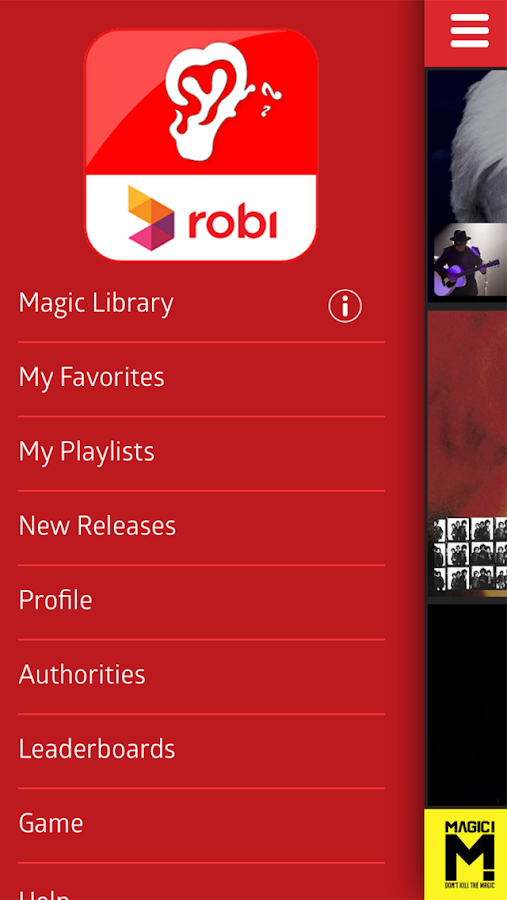
• ম্যাজিক লাইব্রেরি - গানের একটি সংগ্রহ যা আপনার পছন্দ অনুযায়ী গড়ে তোলা হয়৷ Yonder আপনার প্রিয় ও সংশ্লিষ্ট নির্বাচিত ট্র্যাকগুলো অন্তর্ভুক্ত করে৷ অফলাইনে নিরবচ্ছিন্নভাবে শোনার জন্য কন্টেন্ট ক্রমাগতভাবে আপনার ডিভাইসে/SD কার্ডে ডাউনলোড করা হয়৷
• আমার প্রিয় ও প্লেলিস্ট - Yonder-এর আন্তর্জাতিক তারকা ও আঞ্চলিক শিল্পীদের ক্যাগালগ থেকে আপনার প্রিয় গানগুলো খুঁজুন ও সংরক্ষণ করুন৷ আপনার নিজস্ব প্লেলিস্ট গড়ে তুলুন ও শেয়ার করুন৷ অথবা অন্য ব্যবহারকারীদের প্লেলিস্টগুলো ডাউনলোড করুন এবং আপনার পছন্দ অনুযায়ী সম্পাদনা করুন৷
Robi Yonder কমিউনিটি:

• কর্তৃপক্ষ - বিশ্বস্ত প্রভাবিতকারী যেমন Billboard ও Shazam যারা প্লেলিস্ট ও চার্ট ব্যবস্থাপনা করে৷ নতুন কন্টেন্ট আবিস্কার করতে এসব পছন্দ গঠনকারীদেরকে ডাউনলোড ও অনুসরণ করুন৷
• লিডারবোর্ড - প্রতিটি গানের ও শিল্পীর নিবেদিত শ্রোতা রয়েছে যারা Yonder কমিউনিটিতে Heavy Hitters নামে পরিচিত৷ লিডারবোর্ডে Heavy Hitters-দেরকে দেখানো হয় এবং গান শোনার অনুরূপ পছন্দের ভিত্তিতে একটি কমিউনিটি গড়ে তোলা হয়৷
সহায়তার জন্য, http://help.yondermusic.com ওয়েবসাইটে যান৷
Yonder ভালোবাসেন? অনন্য শিল্পীদের কন্টেন্ট সম্পর্কে আপডেট পেতে এবং প্রতিযোগিতা, কনসার্ট ও অন্যান্য ভিআইপি অভিজ্ঞতা পেতে আমাদের সাথে সংযুক্ত হোন৷
আমাদেরকে ফেসবুকে লাইক দিন
টুইটার ও ইনস্টাগ্রামে আমাদেরকে অনুসরণ করুন
-------
Want access to the largest music library in Bangladesh? Try Robi Yonder Music free from 24 May - 7 July 2016. Open to all smartphone users.
Are you a Robi customer? Enjoy our service with no data charges.
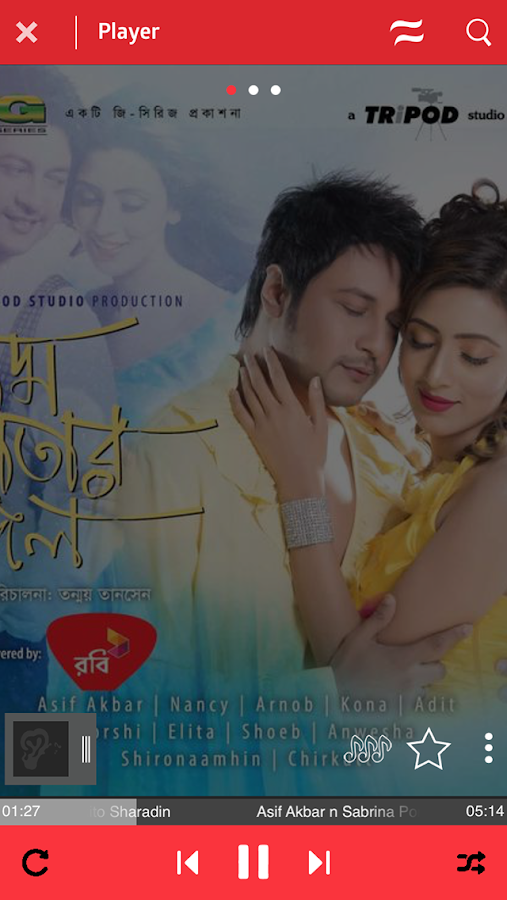
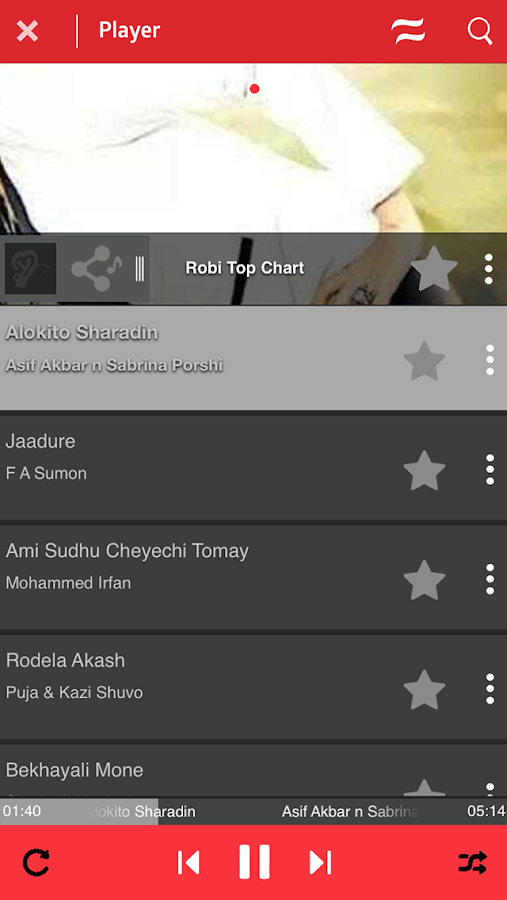
Robi Yonder Music is an ad-free music service that provides access to millions of songs. Users can download tracks, create playlists and share their favorites. With exclusive content and built-in social discovery, Robi Yonder Music offers a rich listening experience.
Key features:

• Song Stream – a home screen experience that serves music from similar Robi Yonder Music users. Tracks and playlists are curated in real-time using social algorithms.
• Magic Library – a music collection tuned to your tastes. Robi Yonder Music includes your Favorites and a selection of related tracks. Content is continuously downloaded to your device/SD card for uninterrupted offline listening.
• My Favorites and Playlists – Find and save the music you love from Robi Yonder’s catalog of international stars and regional artists. Build and share your own playlists. Or download other user’s playlists and edit to fit your tastes.
Robi Yonder Music’s Communities:

• Authorities – trusted influencers who curate playlists and charts. Download and follow these tastemakers to discover new content.
• Leaderboards – every song and artist has dedicated listeners who are known as Heavy Hitters in the Robi Yonder community. Leaderboards display the Heavy Hitters and create a community based on shared listening preferences.
For support, go to http://help.yondermusic.com
Love Robi Yonder Music? Connect with us for updates on exclusive artist content and access to contests, concerts and other VIP experiences.
Like us on Facebook
Follow us on Twitter and Instagram



DOWNLOAD LINK


Ridmik Keyboard

Ridmik Keyboard

Ridmik Keyboard 4.0 is here!
Unijoy layout has been removed from this app.
Features
1. Bangla phonetic keyboard (like your favourite Avro keyboard)
2. National & Probat layout
3. External keyboard support (only Phonetic & English, use F12 to switch)
4. Bangla English word prediction/suggestion for faster writing
5. 9 themes including Lolipop theme.
Installation
1. Download & install
2. Go to Settings > Language & input
3. Enable Ridmik Keyboard (tick the box just beside ‘Ridmik Keyboard’
4. Then open any typing field (can be new message, search box).
5. Drag the notification bar down & click on "Select Input Method"
6. Select Ridmik Keyboard from the displayed list.
7. Enjoy! No more steps!

Permission Explanation
Internet permission is NOT required. So, nothing to worry about.

DOWNLOAD LINK

Bijoy Bangla বিজয় বাংলা


Bijoy Bangla বিজয় বাংলা

Bijoy Bangla App for Android OS is developed for writing Bangla in Unicode System with Bijoy Keyboard. You will have to download the App, set up and than use it. This App follows Bijoy Keyboard perfectly as it is in desktop PCs.
Bijoy for Android is a completely new version developed by us. After downloading the app install the APP, do the setup and you will be able to use it as it is being used in desktop PCs. This APP will work in the Android OS which supports Unicode Bangla. You can use it in Smartphones, Tablets and PCs.If you face any problem please contact us to have support. We are continuing its development and shall upload the newest version as soon as it is developed. Please use the newest version for more convenience.
Ananda Computers
188 Motijheel Circular Road, Dhaka-1000, Bngladesh
e-mail : mustafajabbar@gmail.com,
website : www.bijoyekushe.net, www.bijoydigital.com
Facebook : www.facebook.com/AnandaComputers, www.facebook.com/bijoydigital www. facebook/pages/
Phone: +88027194002, +88027194527

DOWNLOAD LINK

Easy Bangla Typing

Easy Bangla Typing

Want to write Bangla easily using Avro phonetic style? Don't want to use any extra keyboard for writing Bengali? Then, this app will certainly satisfy you with its user-friendly interface.
Features:
* Write Bangla using Avro phonetic style.
* You do not need to use any Bengali keyboard.
* Use your phone's default English keyboard or any other custom keyboard you like to type.
* Write any zuktakkhor (যুক্তাক্ষর) easily with this tool.
* Copy the text just by a single button click.
* One-click share using Facebook, Message, Email, Facebook Messenger and many more options.
* Two different writing modes available to write easily.
* On-screen bangla keyboard with auto suggestion feature has been added.
* Use Facebook for FREE ! No charge, no data volume. (For GrameenPhone, Banglalink, Airtel and Robi users of Bangladesh)
* Use Facebook using different interface. (Facebook Mobile, Facebook Android, Facebook PC)
* Choose theme that suits you the best from the Settings menu.

Example:
Just by typing "ami", you will get "আমি"
Type "kanna", you will get "কান্না"
For your assistance, there is also a help section about the rules of writing. Press your phone's menu button, then select "How to Write".


DOWNLOAD LINK


কথা বলা ঘড়ি Speaking Clock

কথা বলা ঘড়ি Speaking Clock


Bangla Speaking Clock is a utility app for Bangla speaking people all around the word that tells time in Bangla (বাংলা). You can set announcement every 15 minutes, 30 minutes or 1 hour interval. The app doesn't take much ram and runs on very low power mode. Just set the interval time and forget, it will announce time automatically.
Special notes: If you set 15 minutes interval then you have to wait at maximum 15 minutes to hear the announcement.
Known Issue:
App doesn't work properly if you have any power saving mode on. Please turn off battery saving mode of your phone.
For example on Symphony Xplorer w65i, after install go to Setting>>Battery>>Aligned Wakeup>>(off) and you are good to go.


DOWNLOAD LINK


Bangla Dictionary

Bangla Dictionary

Bangla <> English Dictionary offline and free. You can search both English and Bangla words. You can search words directly from "Internet Browser" or other Applications by using Sharing option. In the sharing option you will find "Bangla Dictionary" and choosing "Bangla Dictionary" will open the dictionary with the shared word so you need not type. Exiting from the dictionary will return you to "Internet Browser" or other Applications again. This is not only a Dictionary but also a learning tool. You can use this dictionary when you have no Internet connection. MCQ (Multiple Choice Question) option is available. There is autosuggestion so you need not type full words. You also can use Speech to text feature. You can add words to the study plan and remove words from the study plan. When you start typing, you will see some words starting with the letters you typed. The dictionary searches in a database for the matching words. This can slow down typing in small handsets. Therefore in settings there is an option to turn that off. So low profile mobile handsets can turn off Auto search to type quickly. You will see a Dictionary icon on the notification bar to start the app quickly. On sharing text you will find the Bangla Dictionary. This will be helpful to find out the meaning of any word.

Features of the Dictionary:
• Bangla To English
• English To Bangla
• No internet connection required
• Search From Web
• Search by Sharing
• Auto Suggestion
• Pronounce & Voice Search
• Antonyms (Opposite words)
• Synonyms
• Backup and Restore
• History & Study Plan
• Word Game
• Share Words
• Copy Words
If the Dictionary does not install on your device because of apk file size, please install "Bangla Dictionary Lite" . If you want definition in English and example in sentence, please install "Bangla Dictionary Heavy".


DOWNLOAD LINK

Populer Post